A dental chart instead of a form.
Click a tooth, pick a shade, assign a technician. Entering an order takes a minute and the technician sees exactly what the dentist sent.
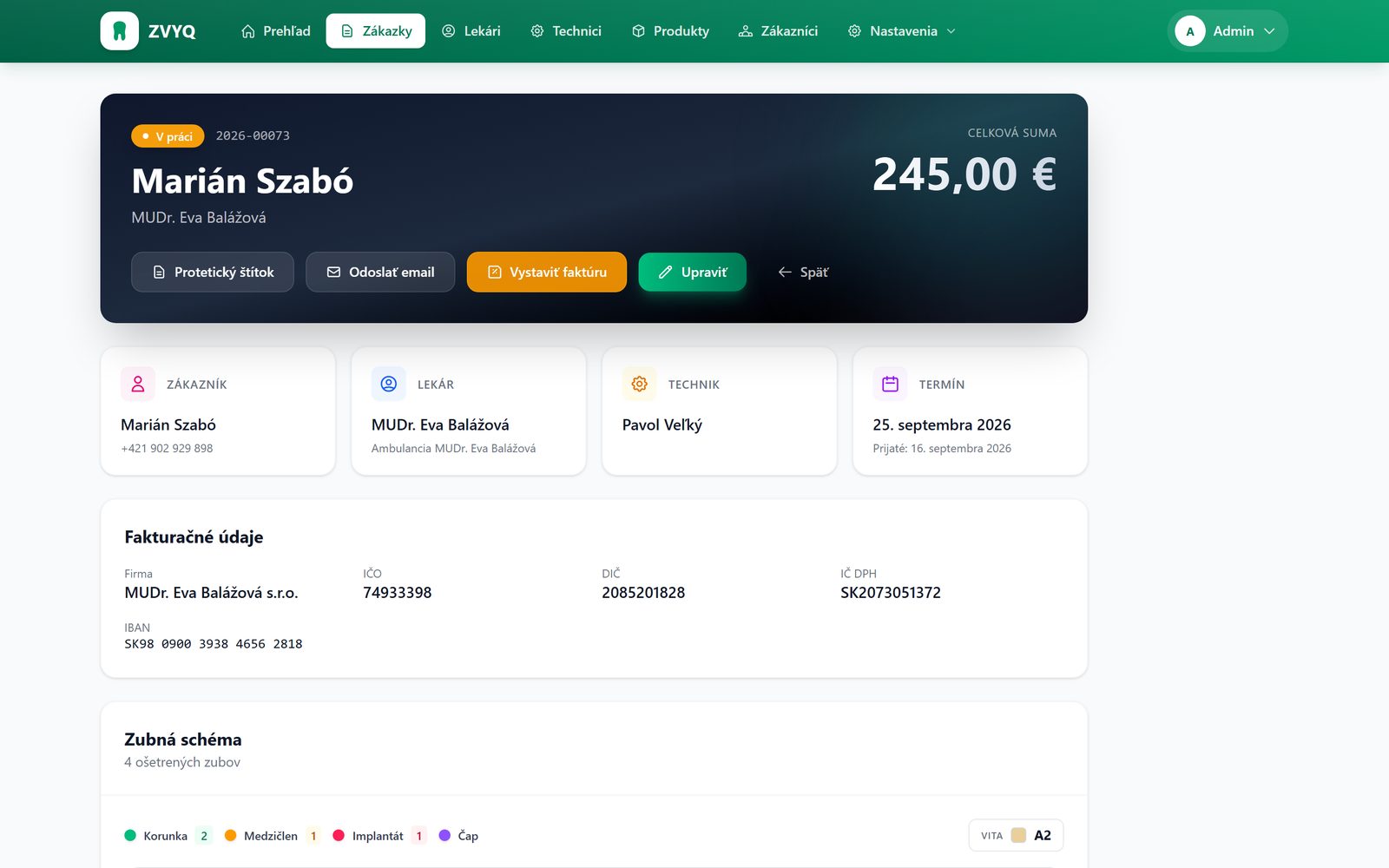
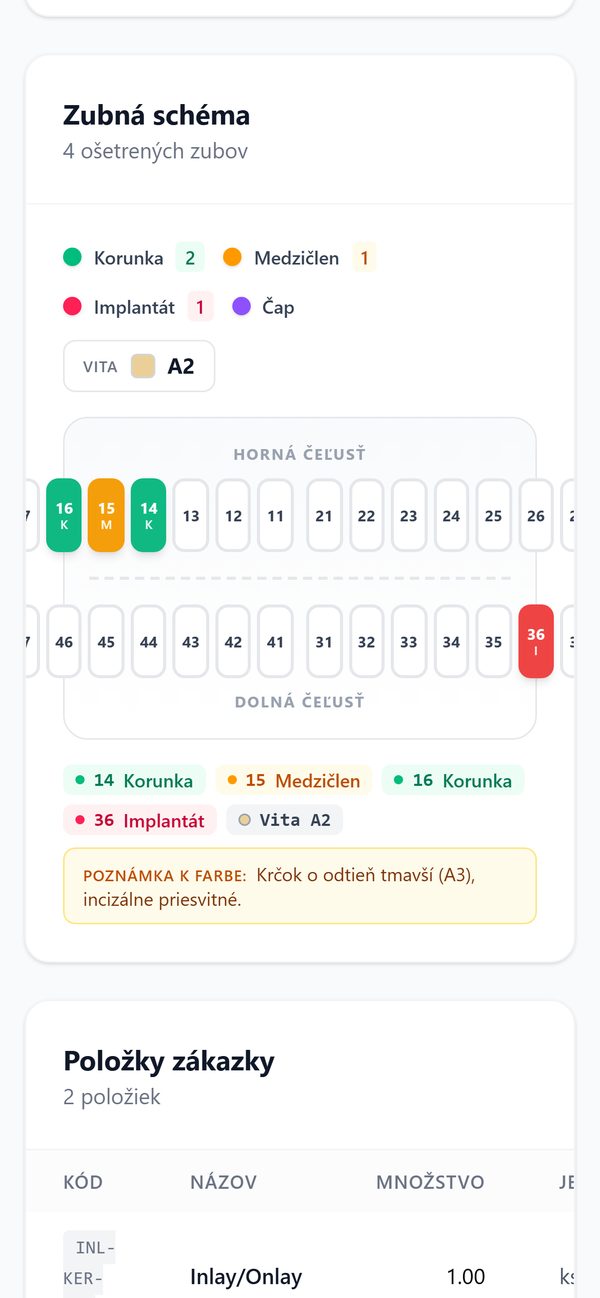
Every click switches the treatment.
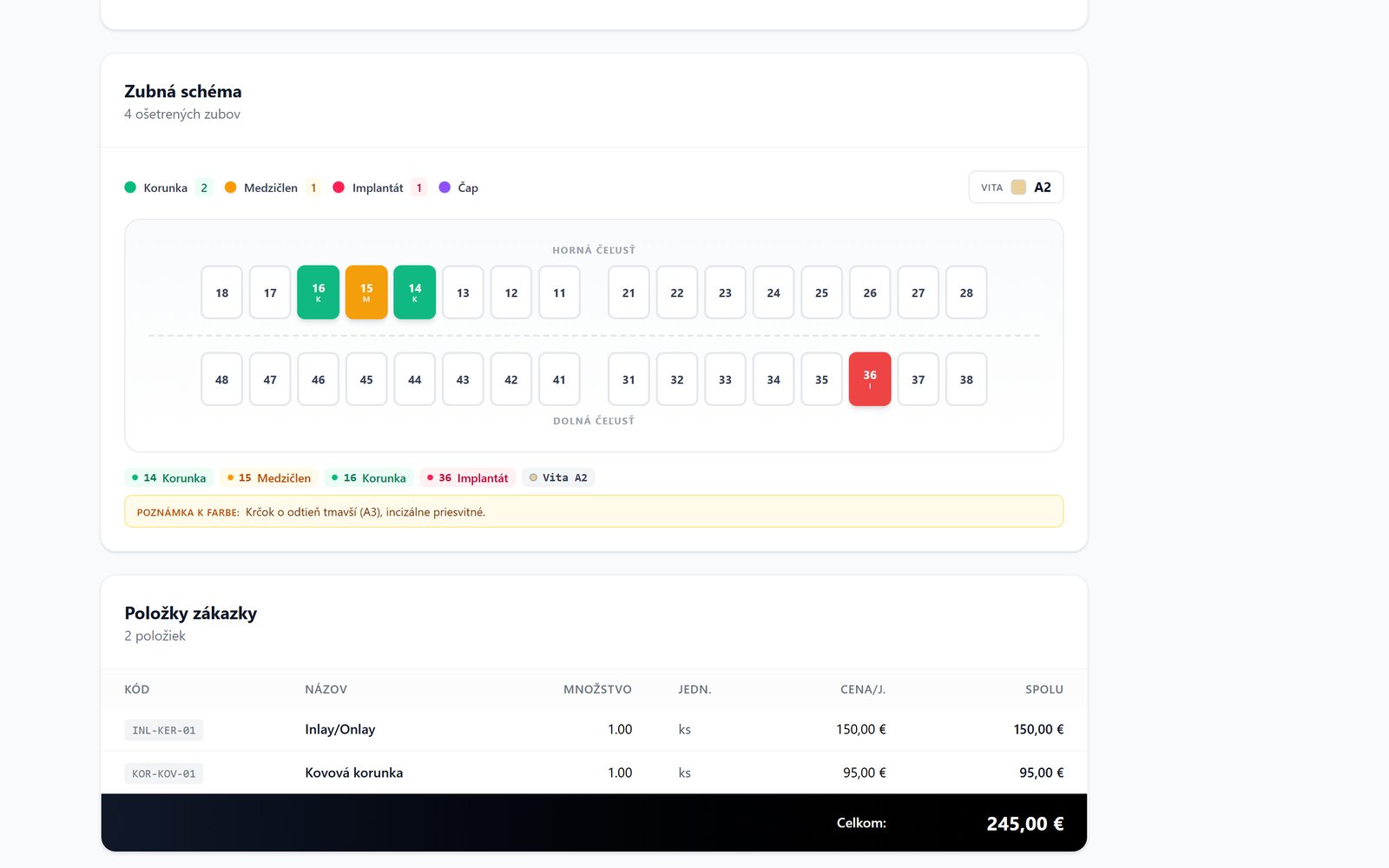
The same FDI chart dentists use. Crown, pontic, implant, post and core, clasp and denture tooth. Pick the shade from the shade guide and add a colour note right on the order.
The same chart is printed on the delivery note and the prosthetic label.
- Crown 0
- Pontic 0
- Implant 0
- Post and core 0
- Clasp 0
- Denture tooth 0
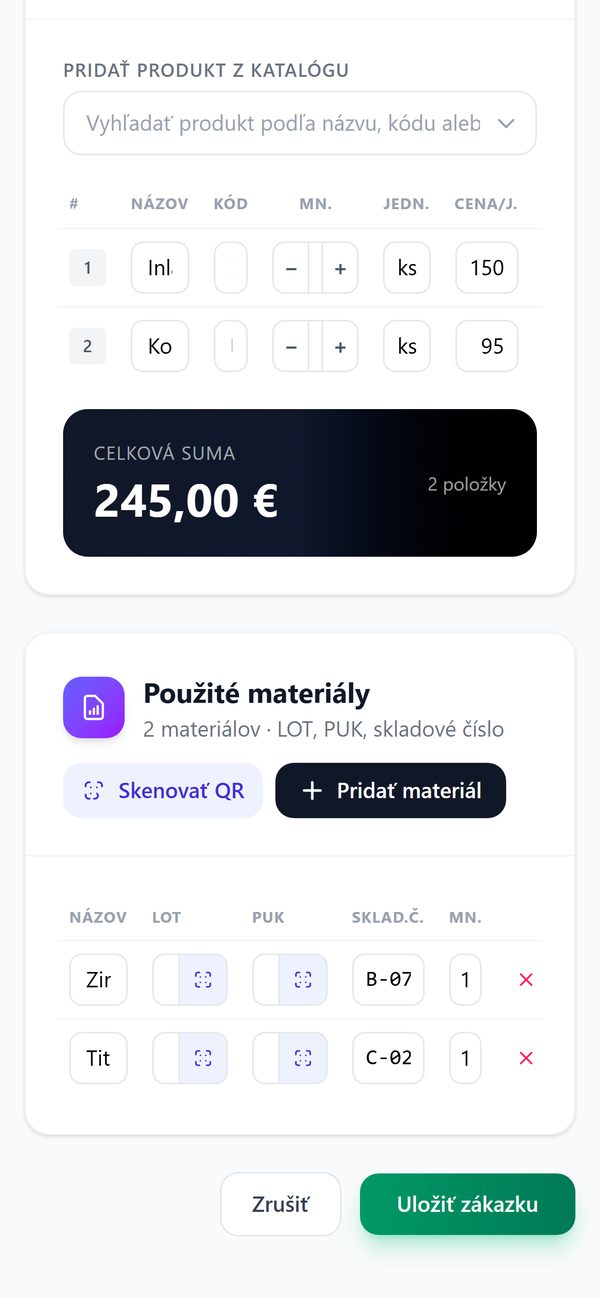
Teeth, items, materials, notes.
Patient, dentist, practice with billing details, technician and due date. Below that the dental chart, price list items with a total, and the materials used with their batch.
From the detail you can print the prosthetic label, email the dentist or issue an invoice.
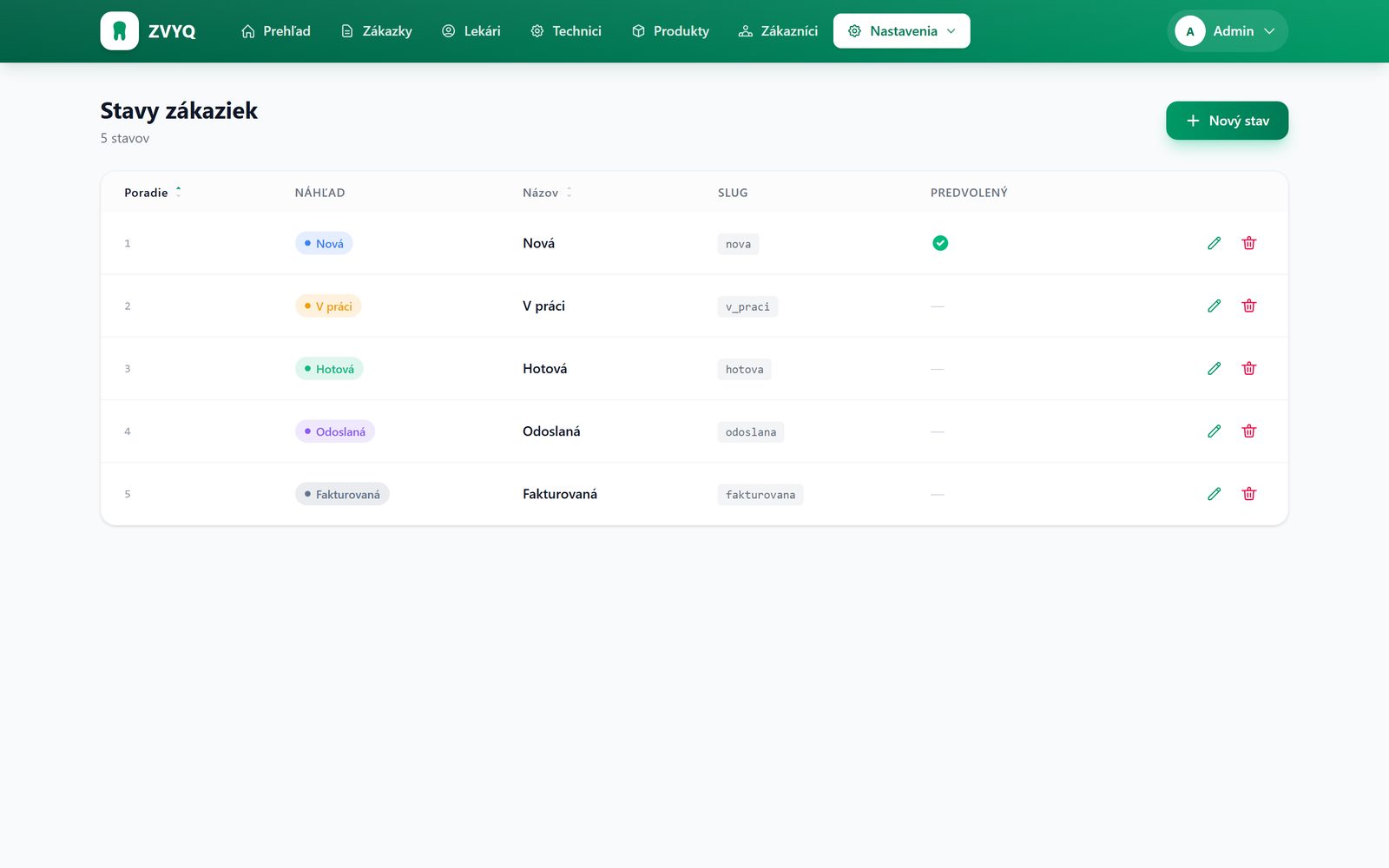
Five statuses. From intake to payment.
You see the status in the list, on the delivery note and in the overview. Names, colours and order can be changed in the settings.
- New
Intake
CAD import or manual entry. The order number is assigned automatically.
- In progress
Production
Technician, materials with LOT and PUK, notes. The overview keeps an eye on the due date.
- Done
Completion
Price list items add up to the final price. Delivery note and prosthetic label.
- Sent
Handover
Email to the dentist straight from the order, with date and recipient.
- Invoiced
Invoicing
An invoice with a QR code for payment. Once paid, the order is marked as paid.
Delivery note, prosthetic label, email.
Order delivery note
A PDF with the patient, dentist, teeth, items and price.
Prosthetic label
A form for the practice with the teeth and shade marked in colour.
Email to the dentist
Sent with the attachment. The order keeps a record of when and to whom it went.
Scan LOT and PUK. Never retype them.
For every order you record materials with their batch, PUK code and stock number. Scan the code with your phone or laptop camera right in the browser.
When someone asks what a crown is made of, you have the answer in a second.
See ZVYQ working on your own orders.
Bring a .dentalProject file and we will run the demo on your data. It takes thirty minutes.
Or write to us at email.